Next-gen Q-System

A queue system that calls guests in their own language

Ticketing, calling, announcements, table status and reports in one program. Use it alone or with Citrus POS.

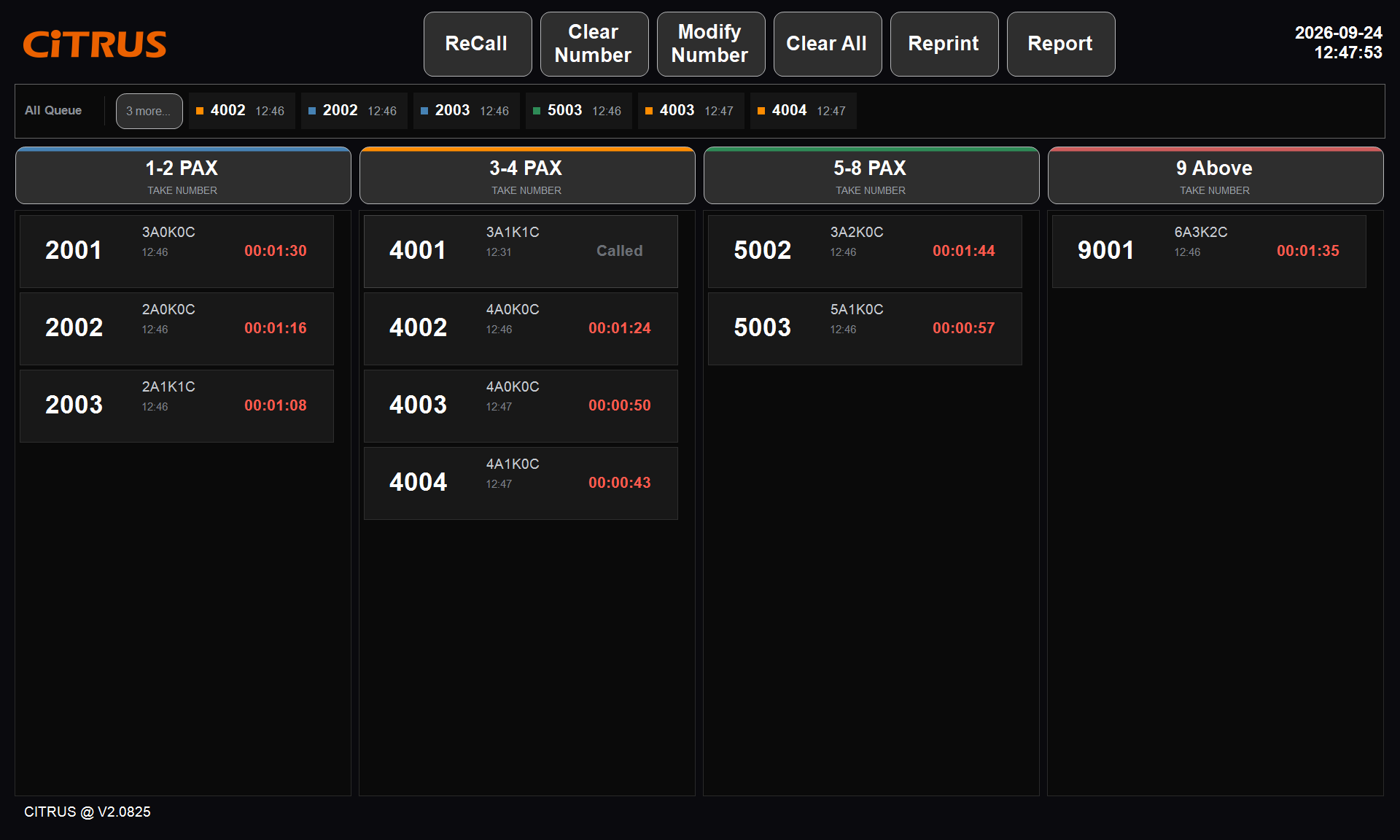
Q-System host screen: waiting numbers and waiting times in four party-size groups

What it is

One program that covers the whole queue

Entrance kiosk

Guests choose party size and language and take a number themselves.

Host screen

Hosts take numbers for guests, call them and handle changes with a tap.

Guest display

The screen guests watch. It shows called numbers and announces them.

How they stay in syncAll roles share one database and refresh every second. A second monitor on the host PC becomes the guest display automatically.

The guest journey

From the door to the first order in four steps

Take a number

Pick party size and language at the kiosk or with the host.

Wait

The ticket shows the number and time taken. An optional Pre-Order QR opens the menu.

Get called

The number appears on screen and is announced in the guest's language.

Sit and order

The host picks an empty table and prints its BYOD ordering QR.

Features

What a busy host stand needs

Ticketing: record what the host needs

Party size in detail
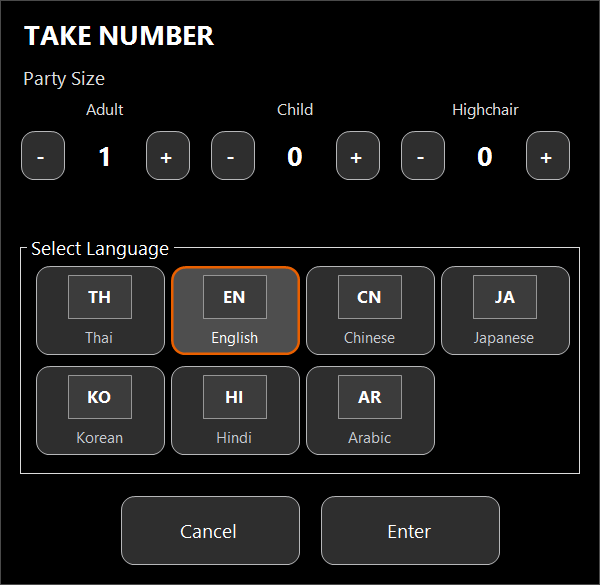
Adults, children and highchairs are recorded separately.
Groups by party size
Up to four groups, such as 1-2, 3-4, 5-8 and 9 or more. Numbers restart every day.
Language chosen up front
Thai, English, Chinese, Japanese, Korean, Hindi or Arabic.
Take Number window
The Take Number window on the host screen

Calling: the right party with one tap

Tap to call
The guest display shows the number and announces it.
Live waiting time
Every number card shows waiting time in red.
All Queue strip
Every waiting number by time taken, oldest on the left.
Host screen
Host screen: one column per party-size group

On the floor: a button for each situation

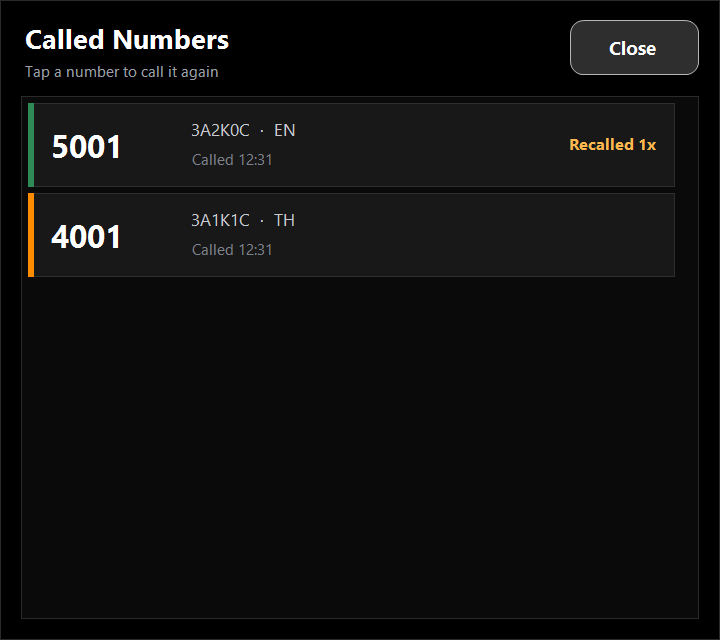
ReCall
Announces again when a guest missed the call, and shows how often.
Clear Number / Modify Number
Clear a number when the guest leaves; edit party size or language.
Reprint
Reprints a lost ticket with the same number.
Called Numbers window
The Called Numbers window, opened by ReCall

With Citrus POS

From the call to seating and ordering

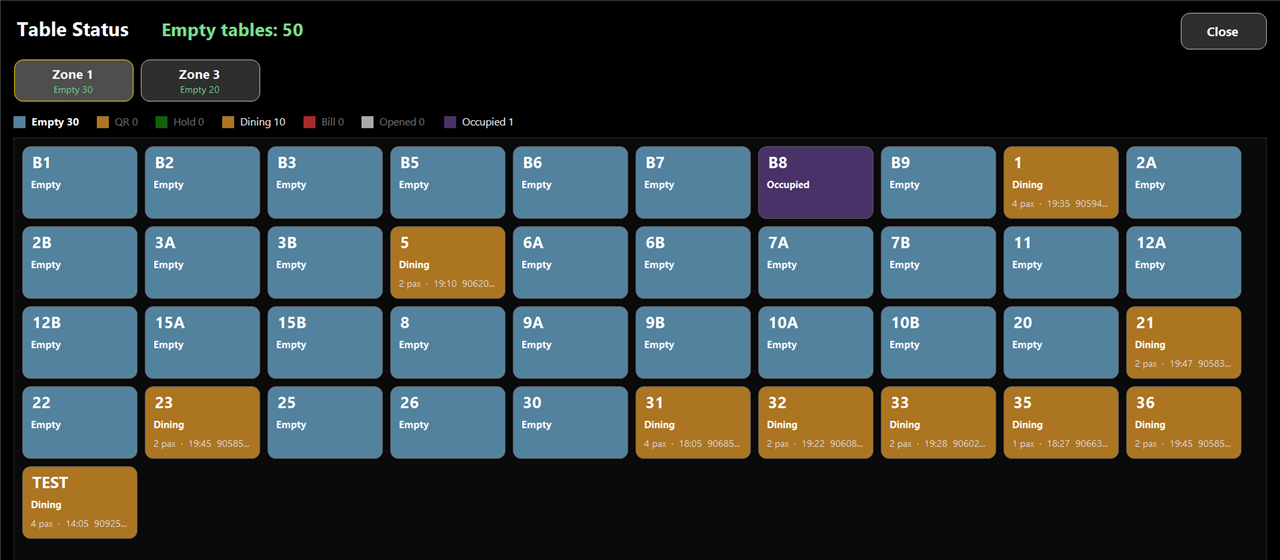
Live table status

Synced with the POS
Same states and colours as the POS floor plan, refreshed within seconds.
View only
It never changes POS data.
Table Status page
Table Status: empty tables counted at the top

A BYOD ordering QR at seating

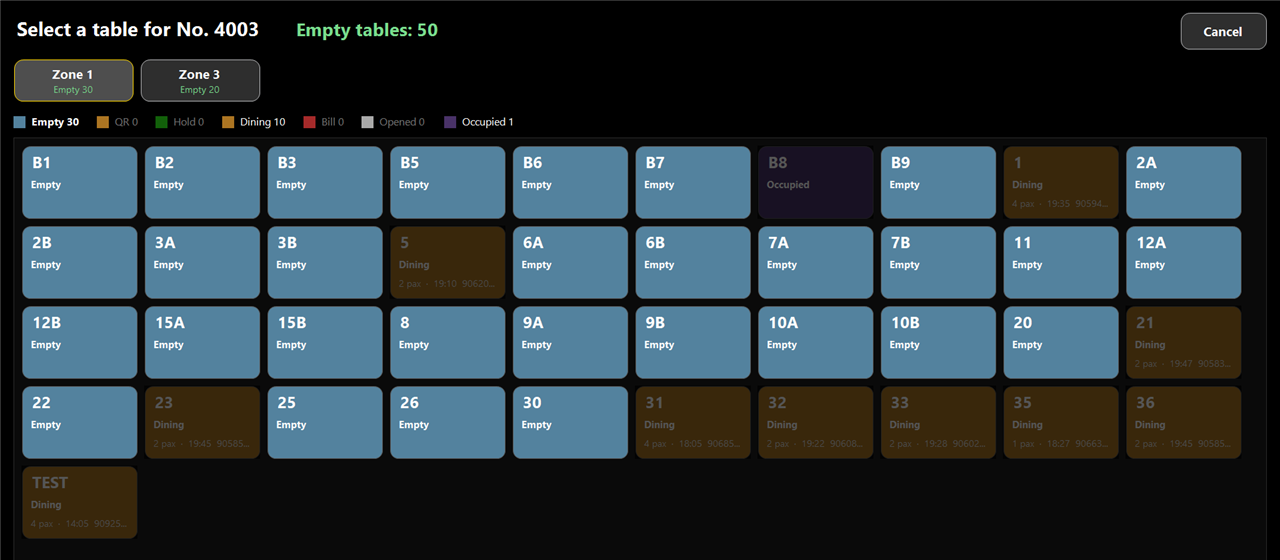
Pick a table after calling
Only empty tables can be picked; the QR ticket then prints.
Guests order on their phones
They scan the QR ticket at the table and order.
Select a table page
Picking a table: only empty tables stay bright

Reports and interface

Know who is waiting, and for how long

Queue report

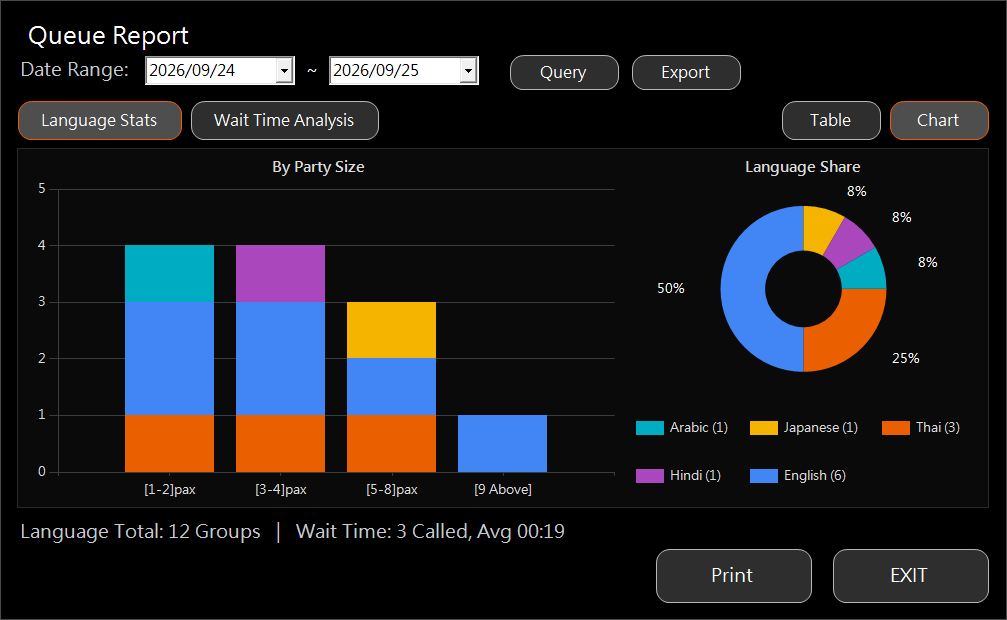
Language Stats
Parties per language by group, with a share chart.
Wait Time Analysis
Average, shortest and longest wait per group.
Export and print
Export to Excel or a web page, or print.
Queue Report
Queue Report: Language Stats in chart view

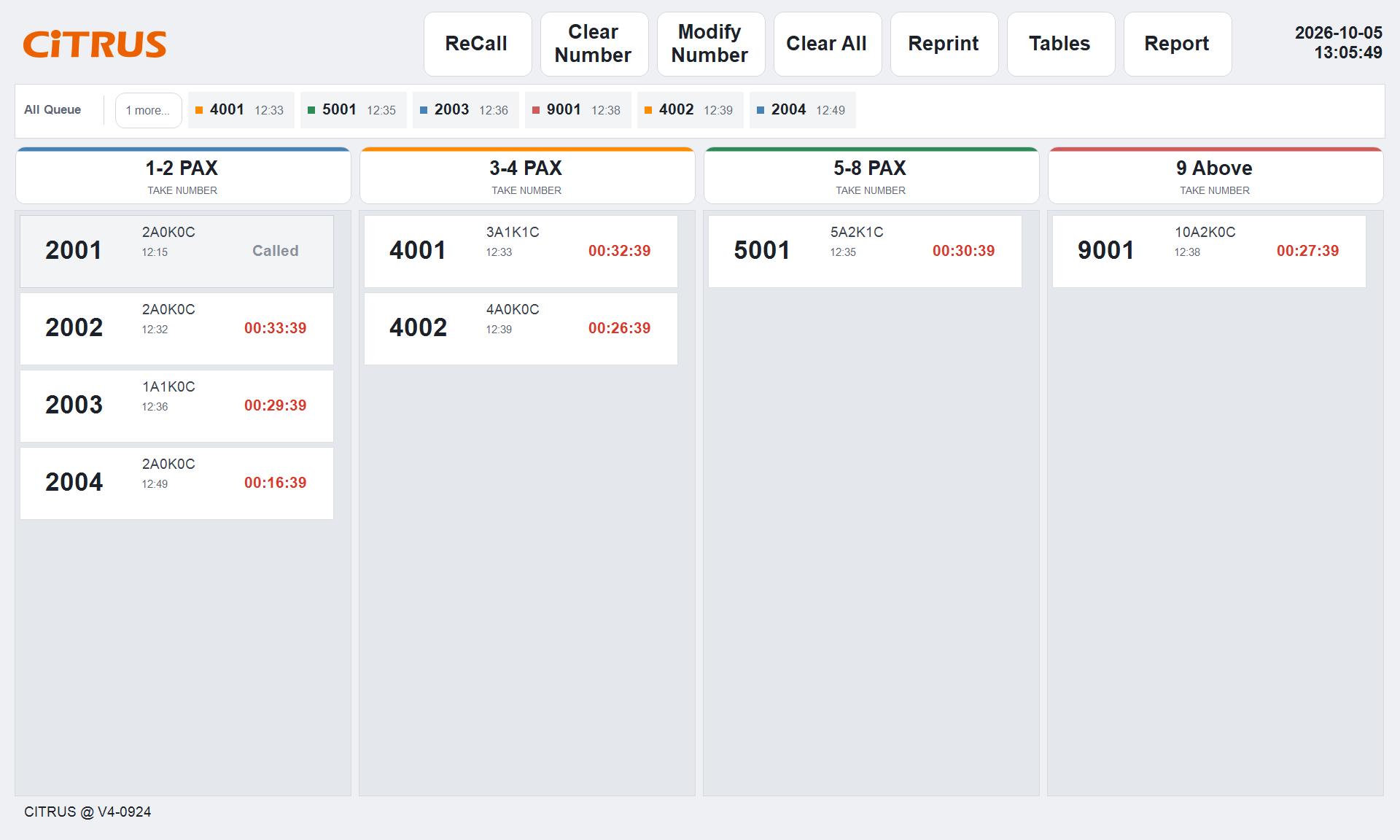
Light and dark themes

Set separately
Host and guest screens are set separately.
Tap-only
Everything on the host screen is done by tapping, on 1024 x 768 or full HD.
Host screen in the light theme

Deployment

What a store needs

ItemRequirement
PCWindows with .NET Framework 4.8
DatabaseMicrosoft SQL Server on the store network
PrinterReceipt printer, 58 mm or 80 mm
Guest displayOptional second monitor, or a separate PC
AudioSpeakers on the guest display PC
Standalone or with Citrus POSOn its own it covers ticketing, calling, announcements and reports. With Citrus POS it adds live table status and the BYOD ordering QR.

Want to see Q-System running?

Book a demo