Outlet Purchase
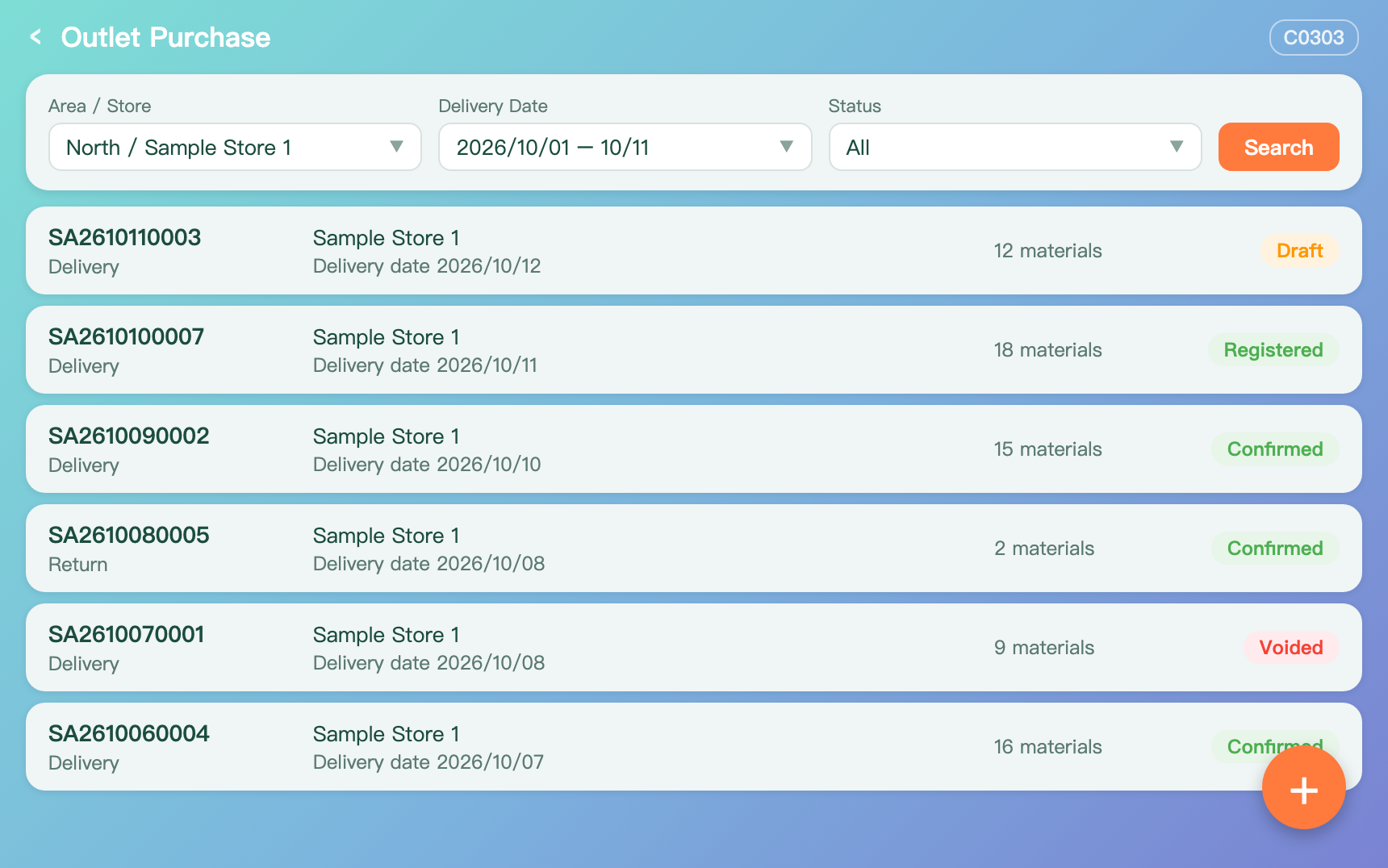
- Filter the list
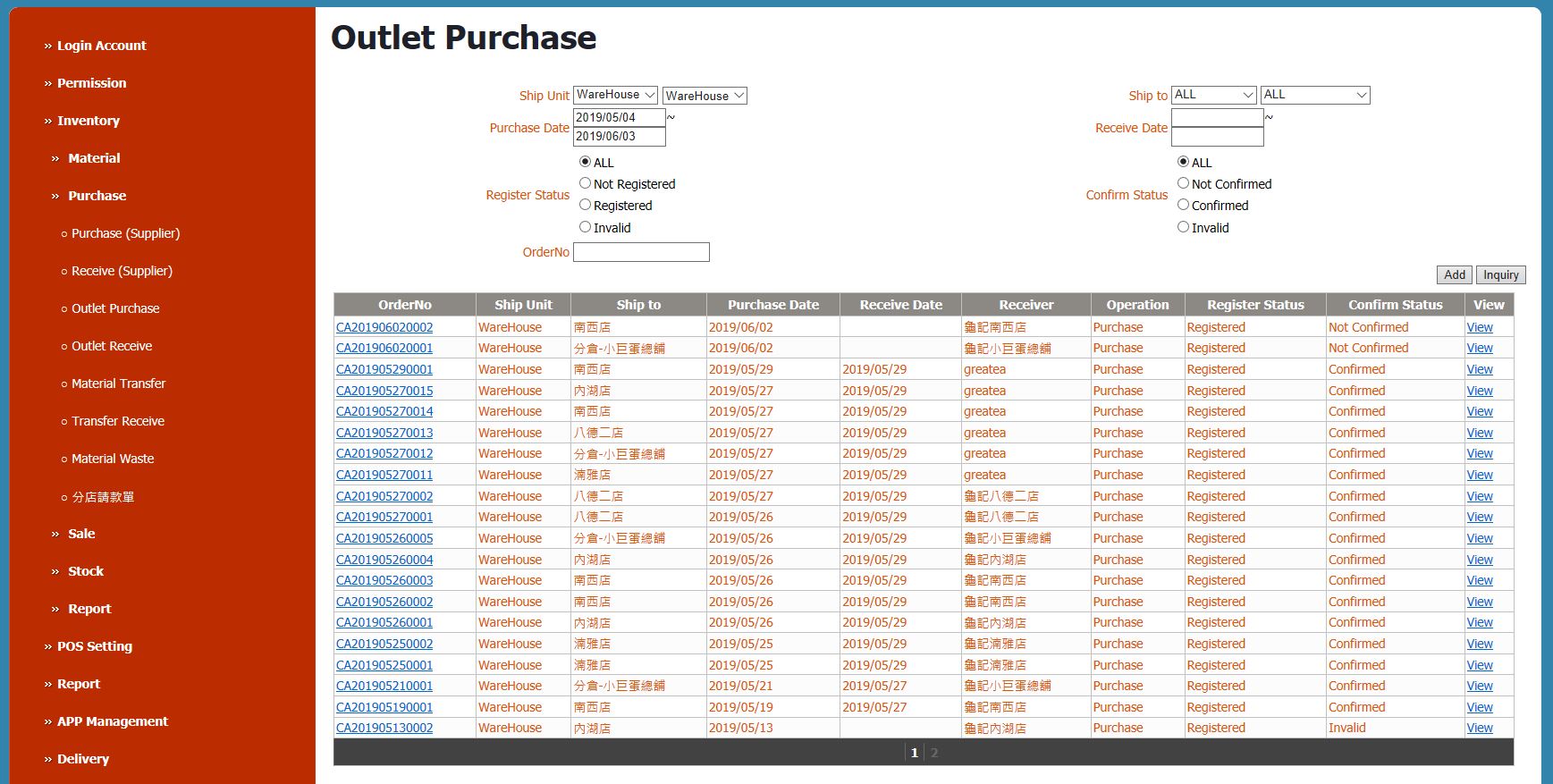
- Find documents by shipping unit, receiving store, purchase date and receive date.
- Register and confirm status
- Each document shows its register status and confirm status, so unconfirmed ones stand out.

Cloud inventory
From supplier and warehouse to store and head office: purchasing, transfers, stocktakes and reports in one cloud back office.
Inventory flow
The warehouse buys from suppliers and receives the goods into stock.
It handles store orders, ships and arranges delivery.
Stores order, receive, transfer, record waste and take stock.
Head office sees each store's stock and inventory reports.
Features
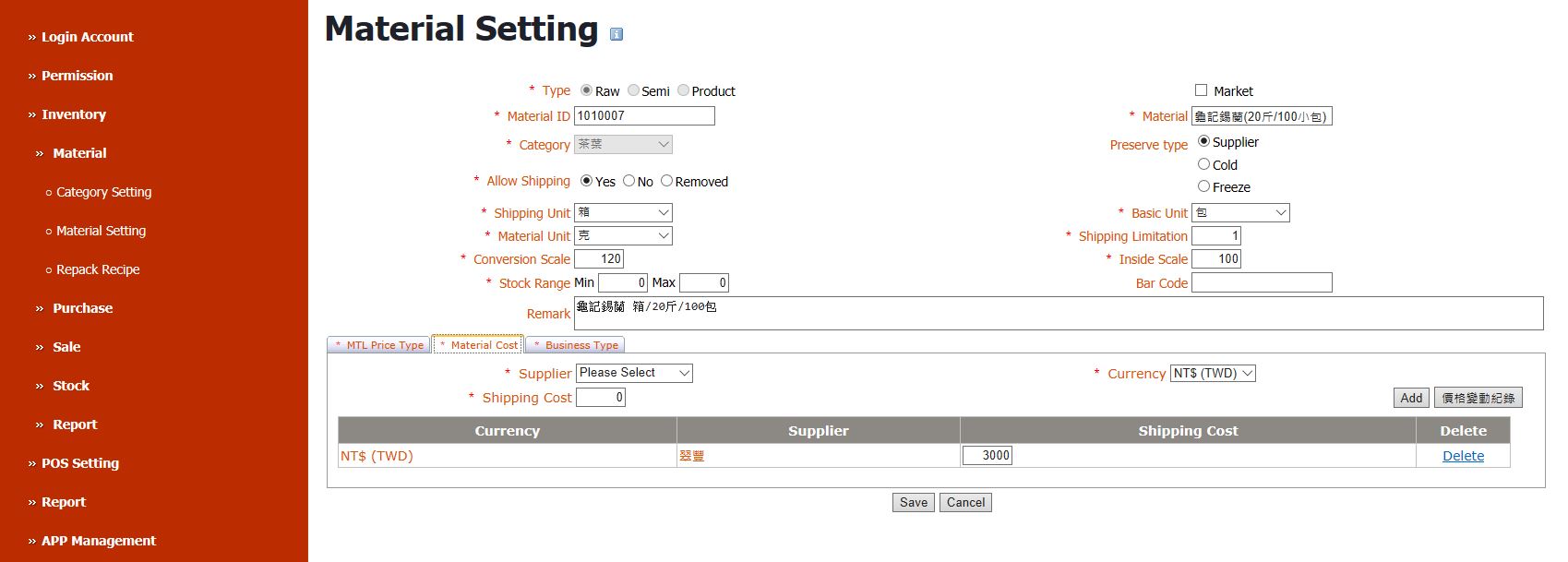
Set up materials and suppliers. Recipes link products to the materials they use, to keep stock under control. Different selling prices can be defined.
Supplier purchase and receipt, store orders and receipt, transfers between stores, and waste records. Documents are registered, then confirmed.
Stock records, safe stock settings, and a list of materials below or above their limits.
Total inventory report, stock details and warehouse supply summary, by store and month.
Screens
These are screens from the current version and will be updated when the new version is released.
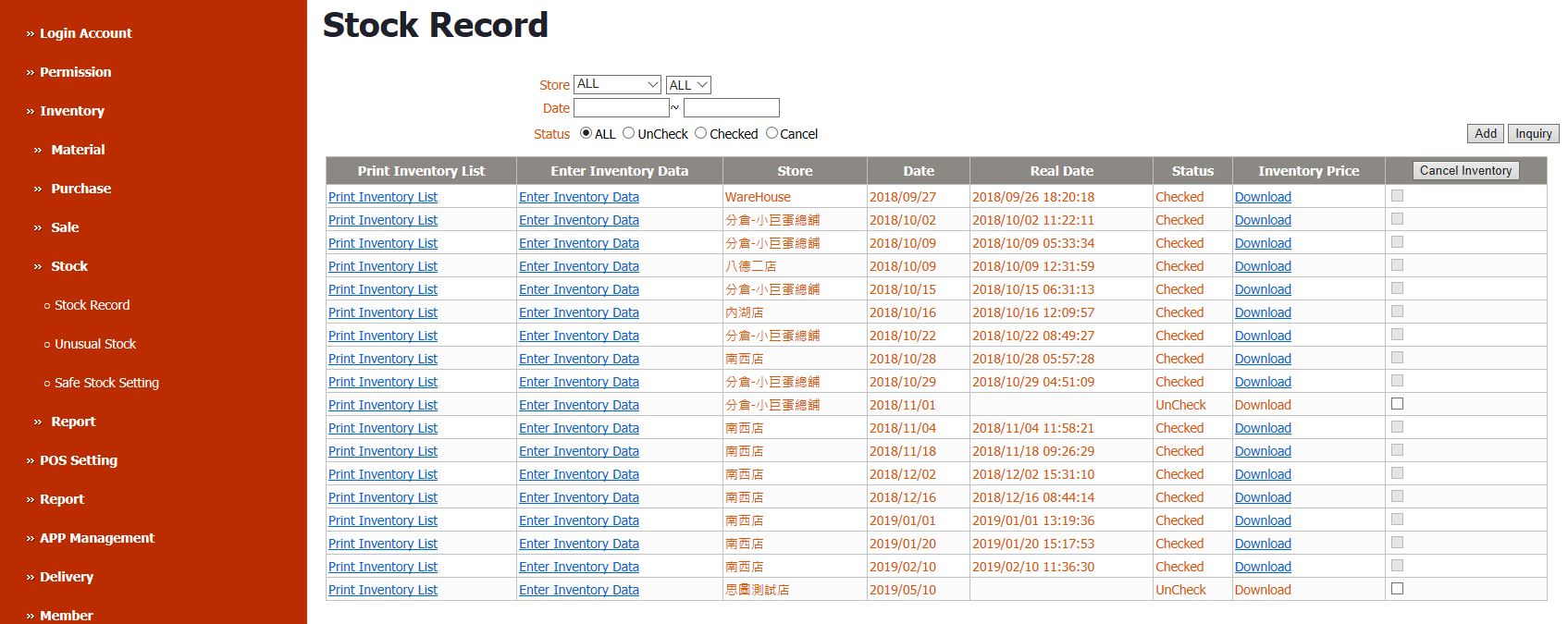
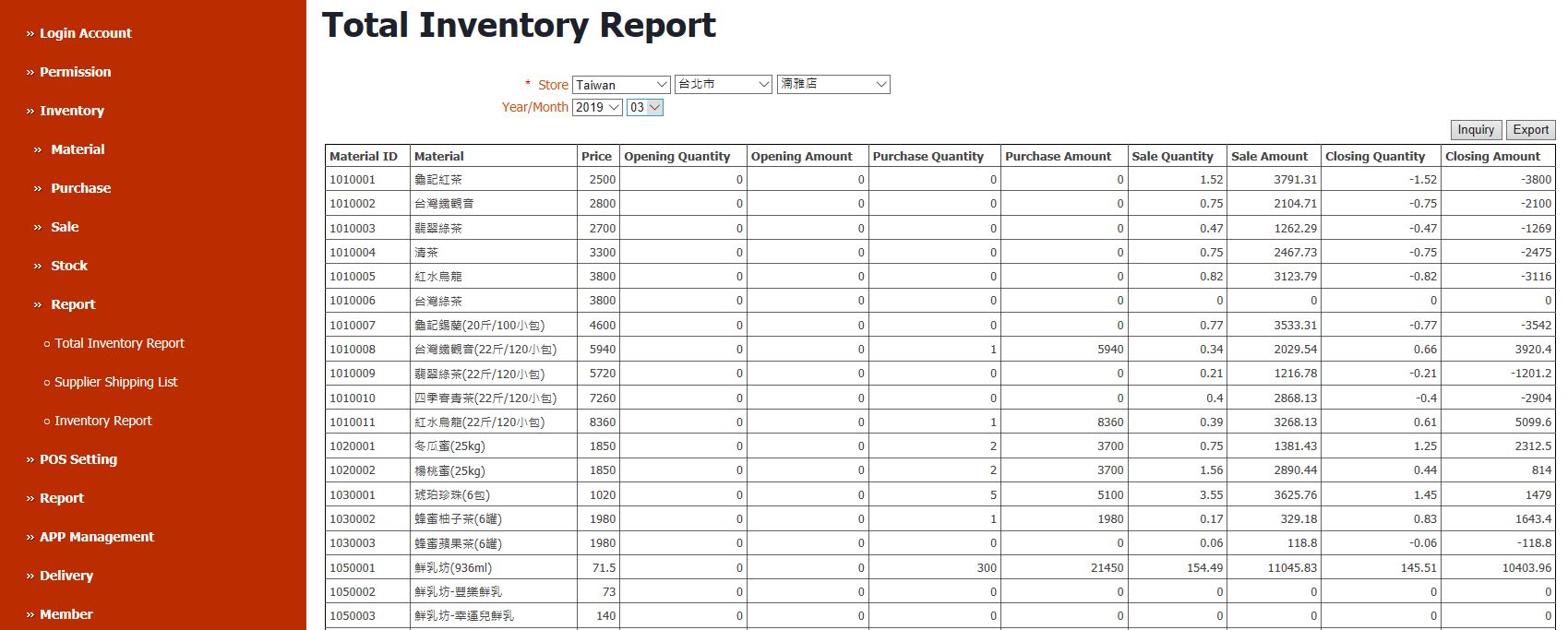
Cloud back office
All brands in a group are managed together, with permissions by brand and store.
Menus and promotions update every store's POS, and sales data comes back automatically.
Customers who already run an ERP such as SAP Business One, or another inventory system, can integrate instead.
In the store
Ordering, receiving, transfers, waste and stocktakes are done on the spot in the app, written straight to the back office.